Before / after evidence
Images stay with the complaint record so field work can be checked in context.
Resident & Operations Software · Indian Railways
Residents raise paperless quarters complaints from the Android app. Stakeholders assign the right artisan, escalations surface unattended work, and management sees every queue, category and outcome.
Crisant's Complaint Management System connects a resident Android app with stakeholder assignment, artisan action, automated escalation, before-and-after evidence, feedback and management reporting—keeping every housing or facilities complaint visible from acknowledgement to closure.
The problem
A paper register can record an issue, but it cannot acknowledge the resident immediately, route the work, alert a stakeholder, show whether an artisan acted or explain why a request is still open. The result is repeated calls for residents and fragmented accountability for the office.
QCMS makes the complaint itself the shared record. Quarter, division, department, category, preferred visit time, evidence, assignment and status remain connected—so the resident sees progress and management sees where action is slowing down.
How it works
Mobile-number verification links the resident to a registered quarter, with in-app options to request quarter registration or division enrolment.
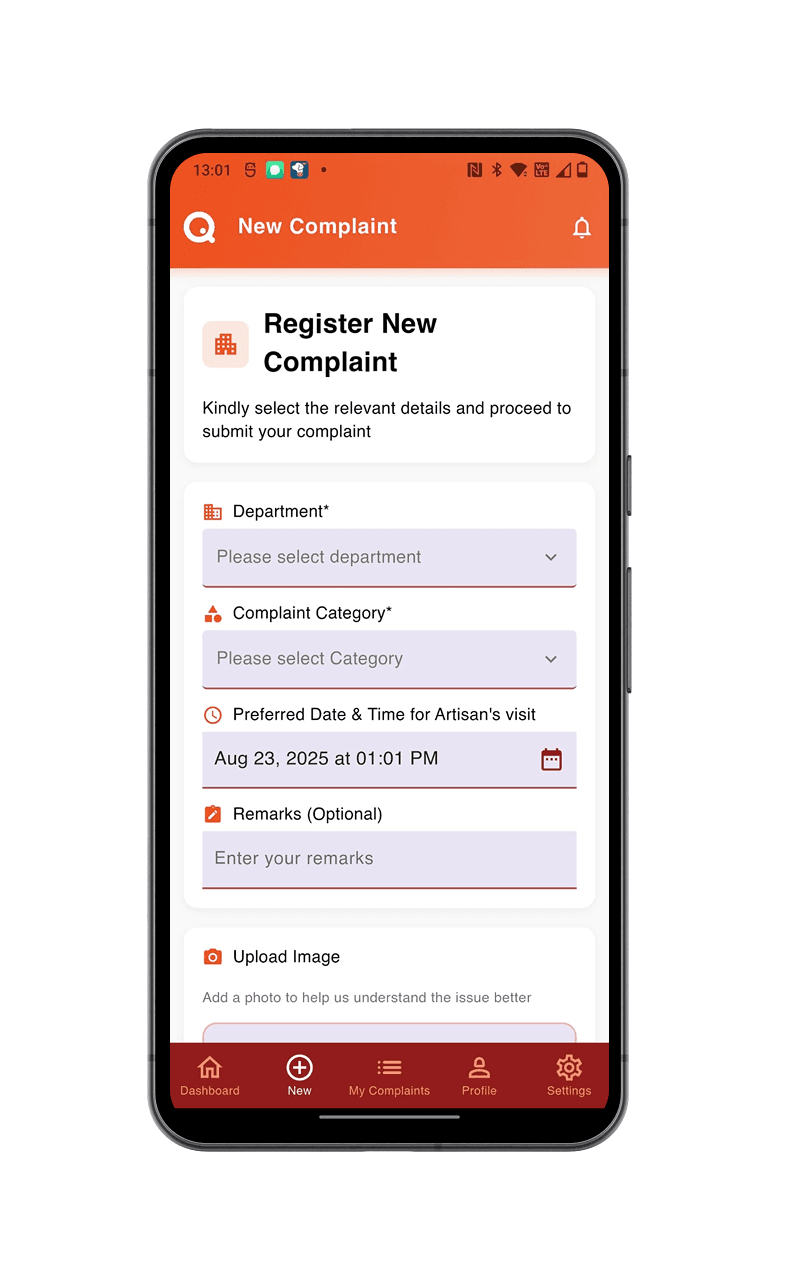
Capture department, complaint category, preferred artisan visit time, remarks and a supporting before image in one guided form.
Notify the responsible stakeholders and route work to the appropriate artisan according to issue category and severity.
Bring unattended or delayed complaints to management attention instead of depending on a resident to keep following up.
Keep the resident informed while the record carries status history and before-and-after evidence toward closure and feedback.
Review complaint volume, open and assigned queues, completion, cancellation, category distribution and date-range trends.
Resident experience
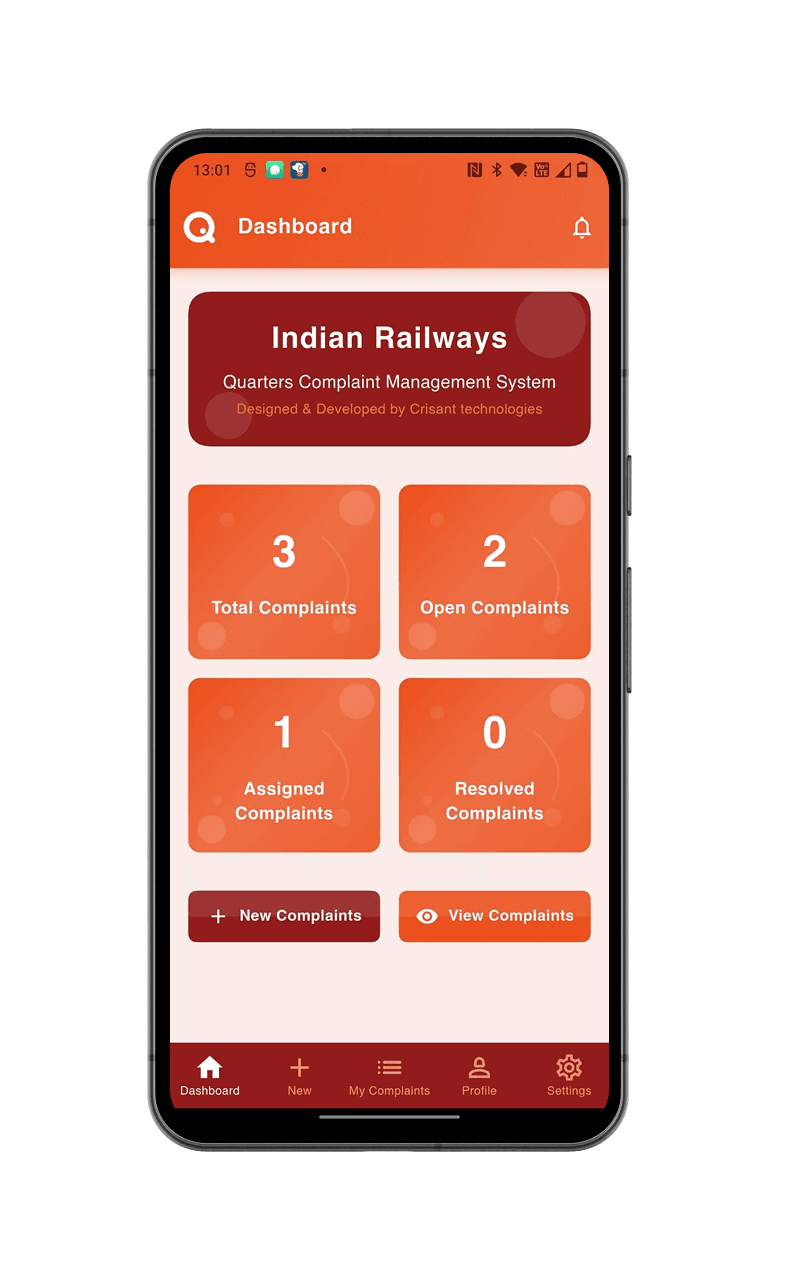
Residents move from a registered quarter to a categorized, evidence-backed complaint in one mobile flow. The same record then carries assignment, status and resolution history—without a paper register or repeated phone calls.
The resident flow
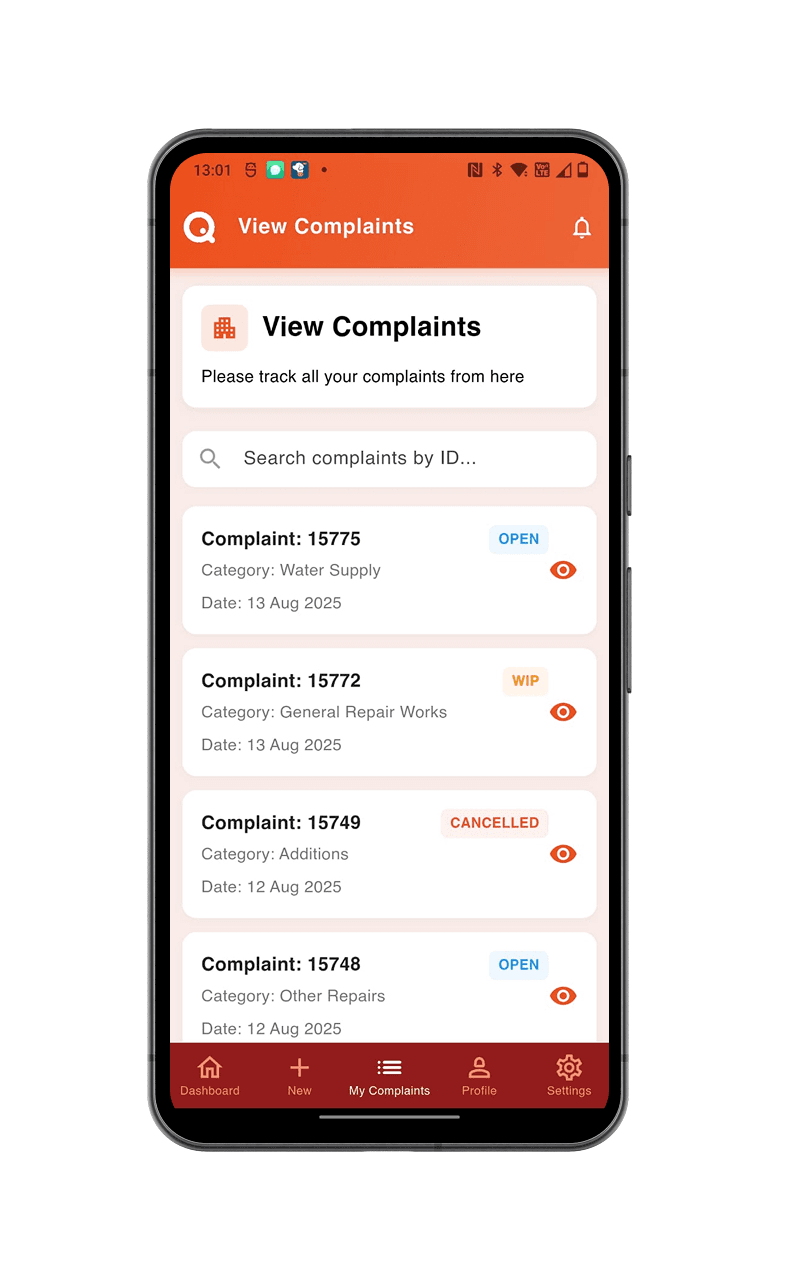
The app makes the next action obvious at every step, while keeping the resident connected to the same request from intake through final status.
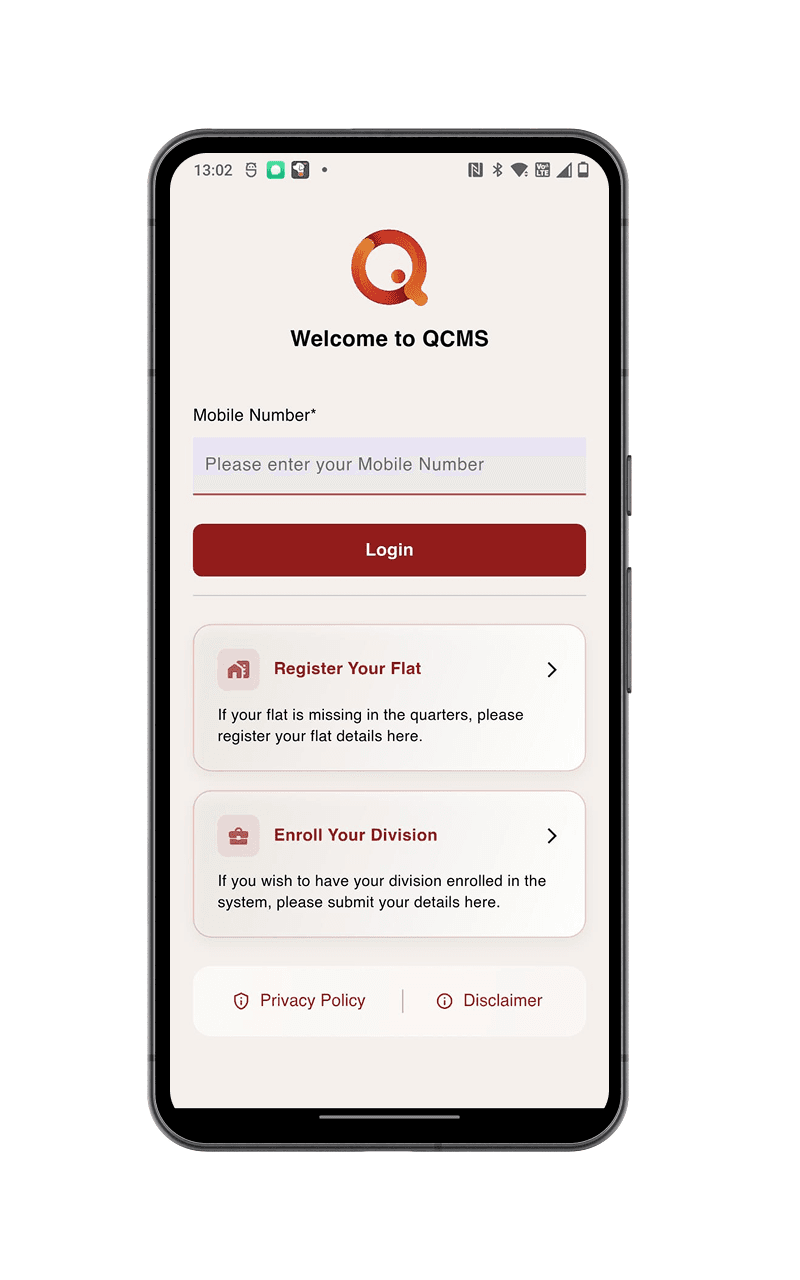
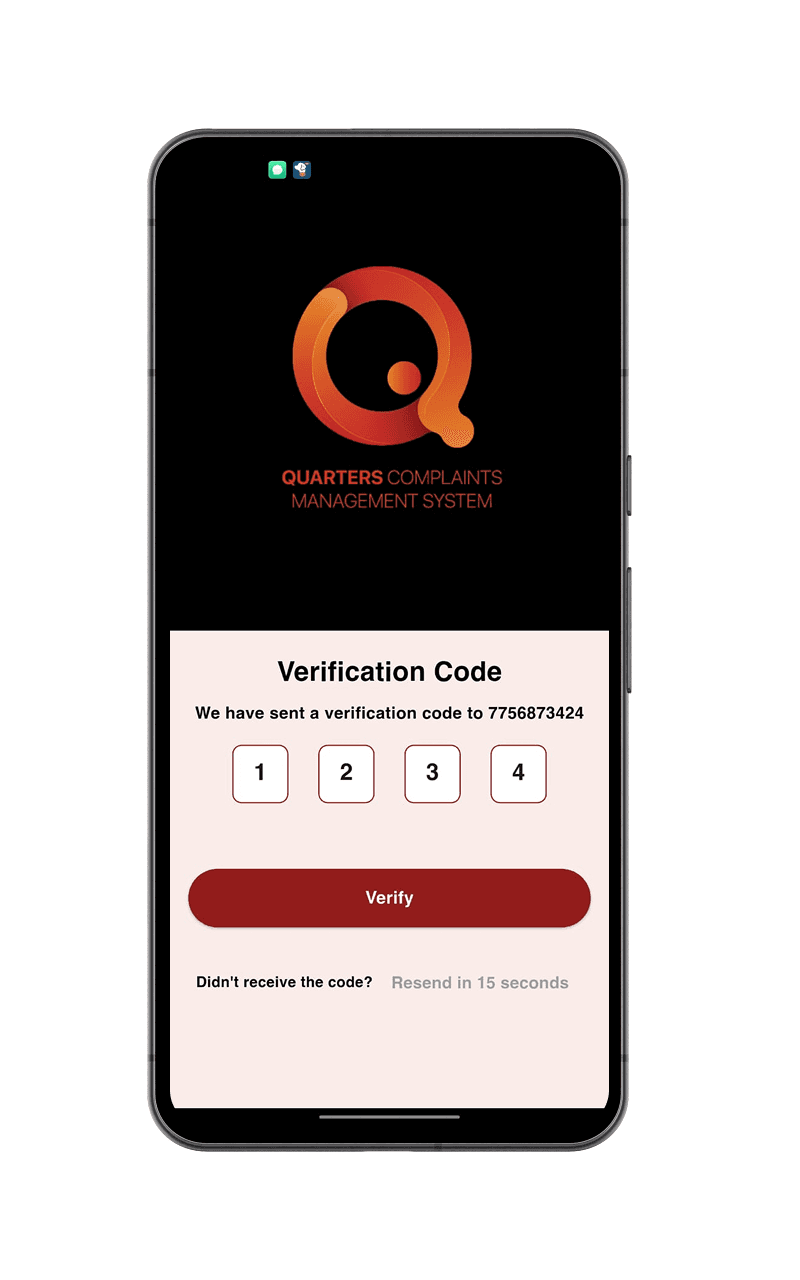
Sign in with the registered mobile number and OTP, or request quarter registration if the residence is not yet mapped.
Select the department and category, add remarks, choose a preferred artisan visit time and attach a before photo.
The complaint becomes a traceable record connected to the resident, division, colony and quarter.
Residents can see whether a request is open, assigned, in progress, resolved or cancelled without calling the office.
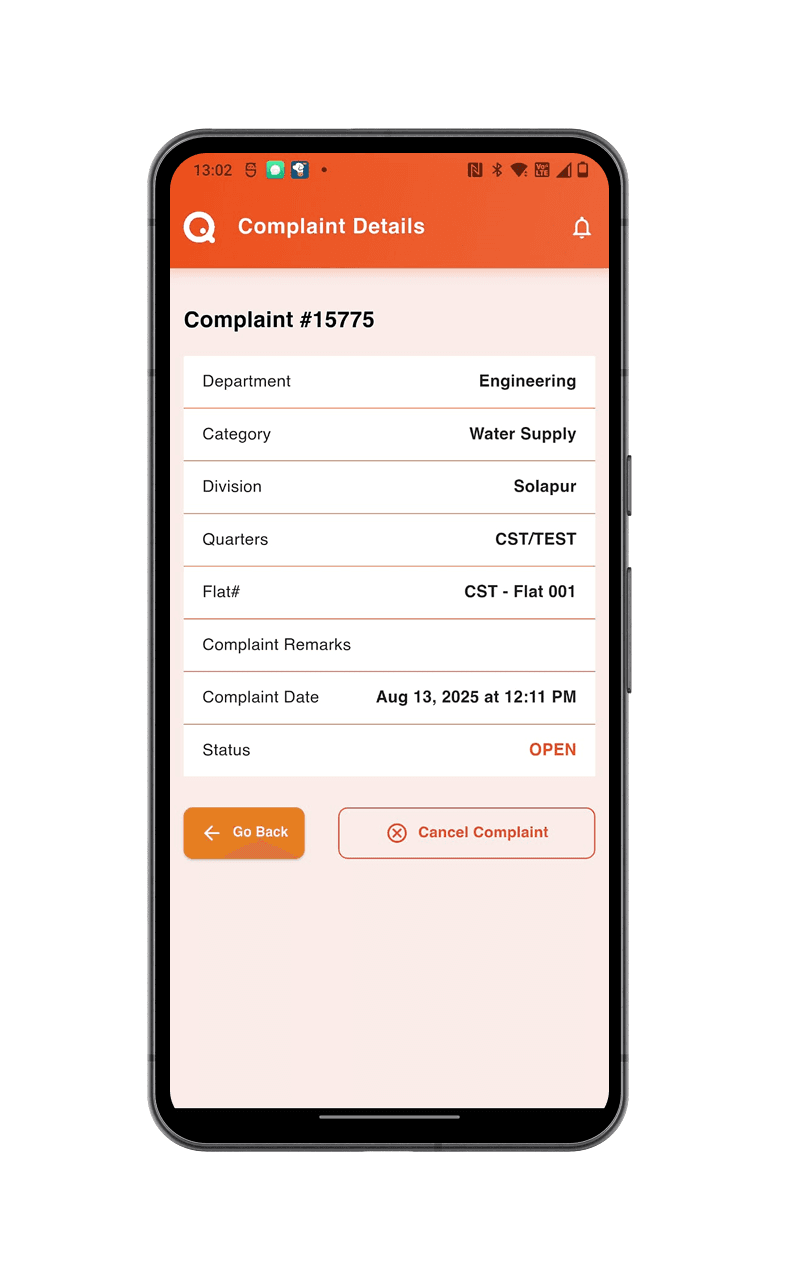
Department, category, location, date and current status stay together, creating a clear history through closure.
Designed for adoption
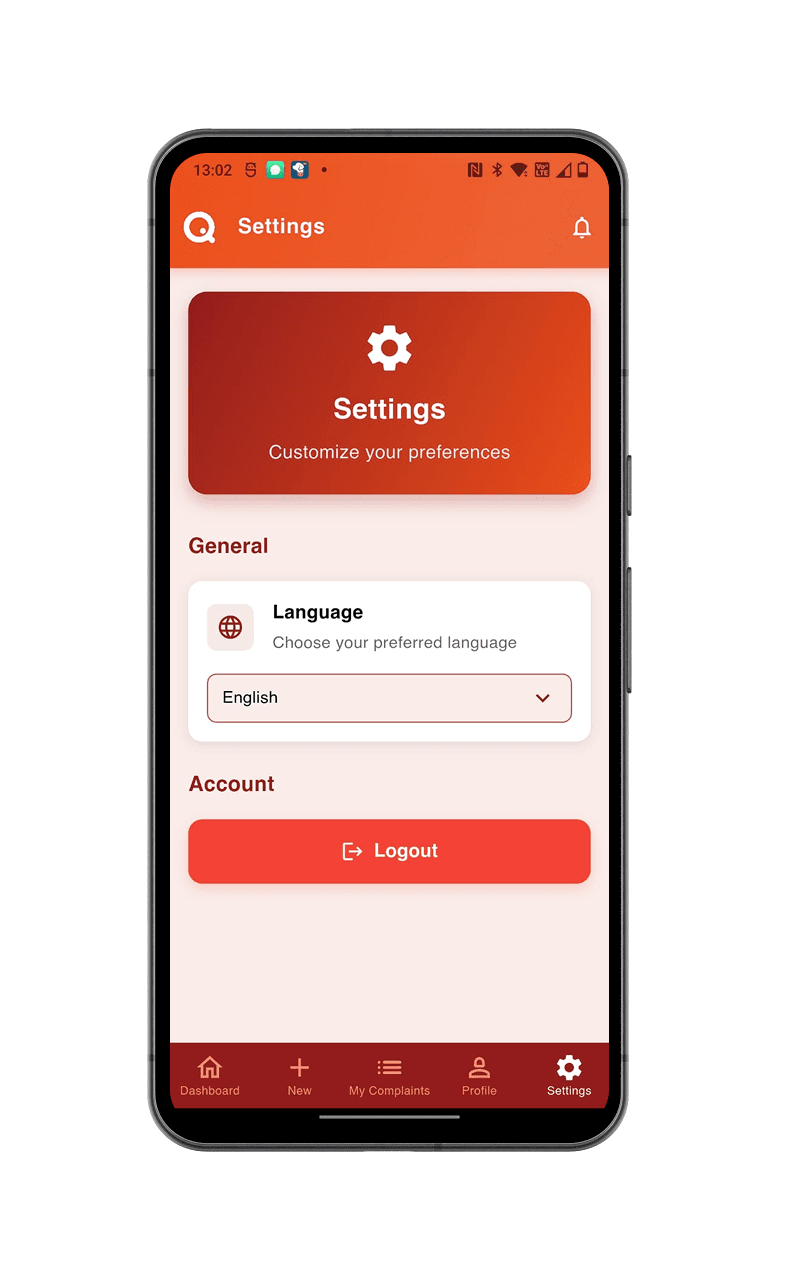
Quarter registration and division enrolment are available from the login screen, while the settings view keeps language preference visible and simple.
Accountability chain
The system connects the person reporting the problem to the people responsible for assignment, field work and oversight. Escalation is part of the workflow, not a manual follow-up ritual.
A paperless complaint arrives with quarter context, category, preferred time and supporting image.
The responsible team receives the request and assigns the right artisan based on category and severity.
The artisan receives the job details, works within the expected timeline and records progress toward closure.
Dashboards, notifications and escalation rules expose unattended requests before silence becomes the process.
Administration command centre
The supplied live dashboard snapshot brings resident volume, complaint status, category mix and daily trends into one operational view—so teams can move from anecdotes to workload decisions.
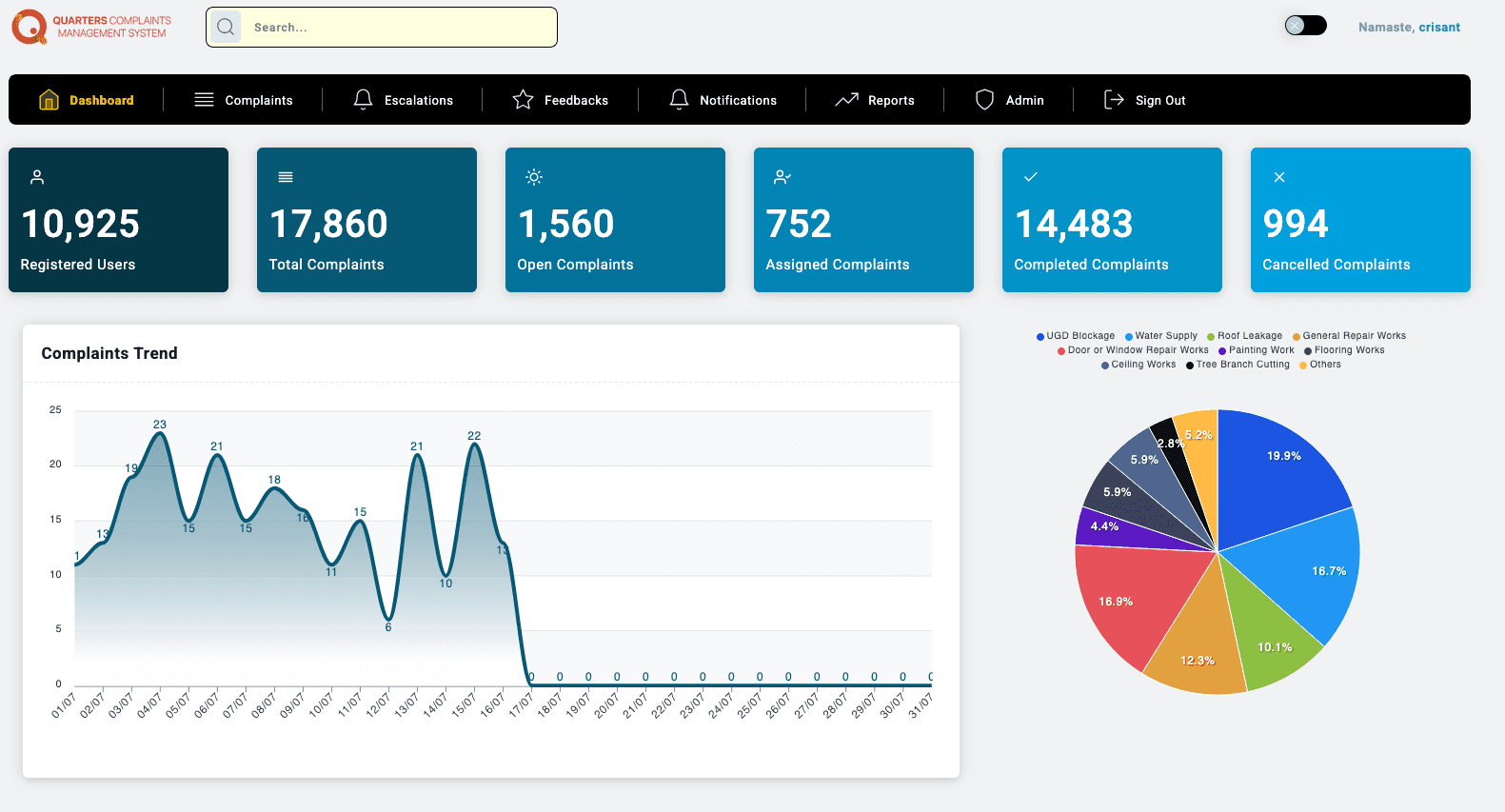
Visible in the supplied dashboard snapshot · 16 July 2026
Evidence and reporting
Operations teams can inspect the complaint register with before-and-after evidence, while managers filter date ranges and read status, category and trend reports.
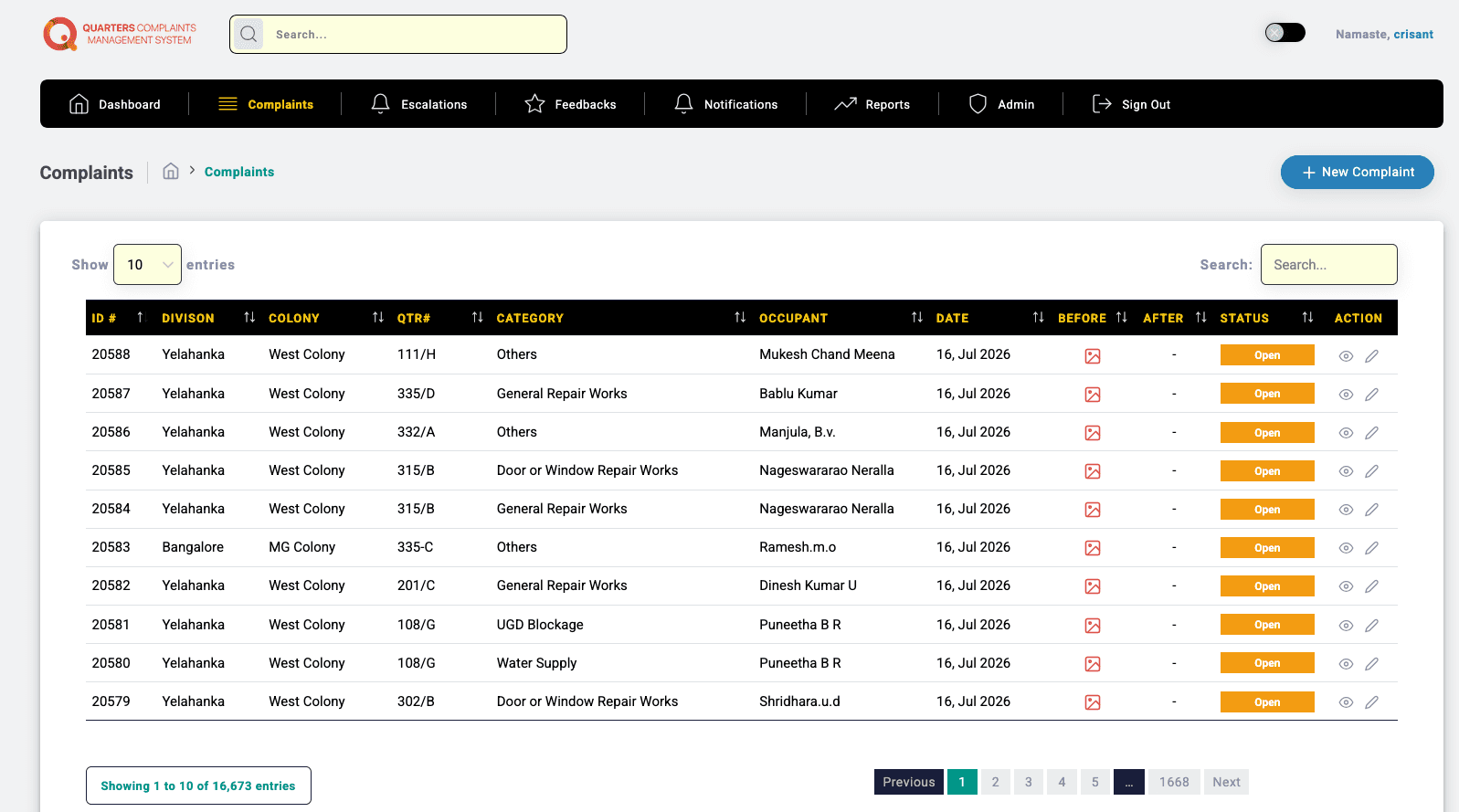
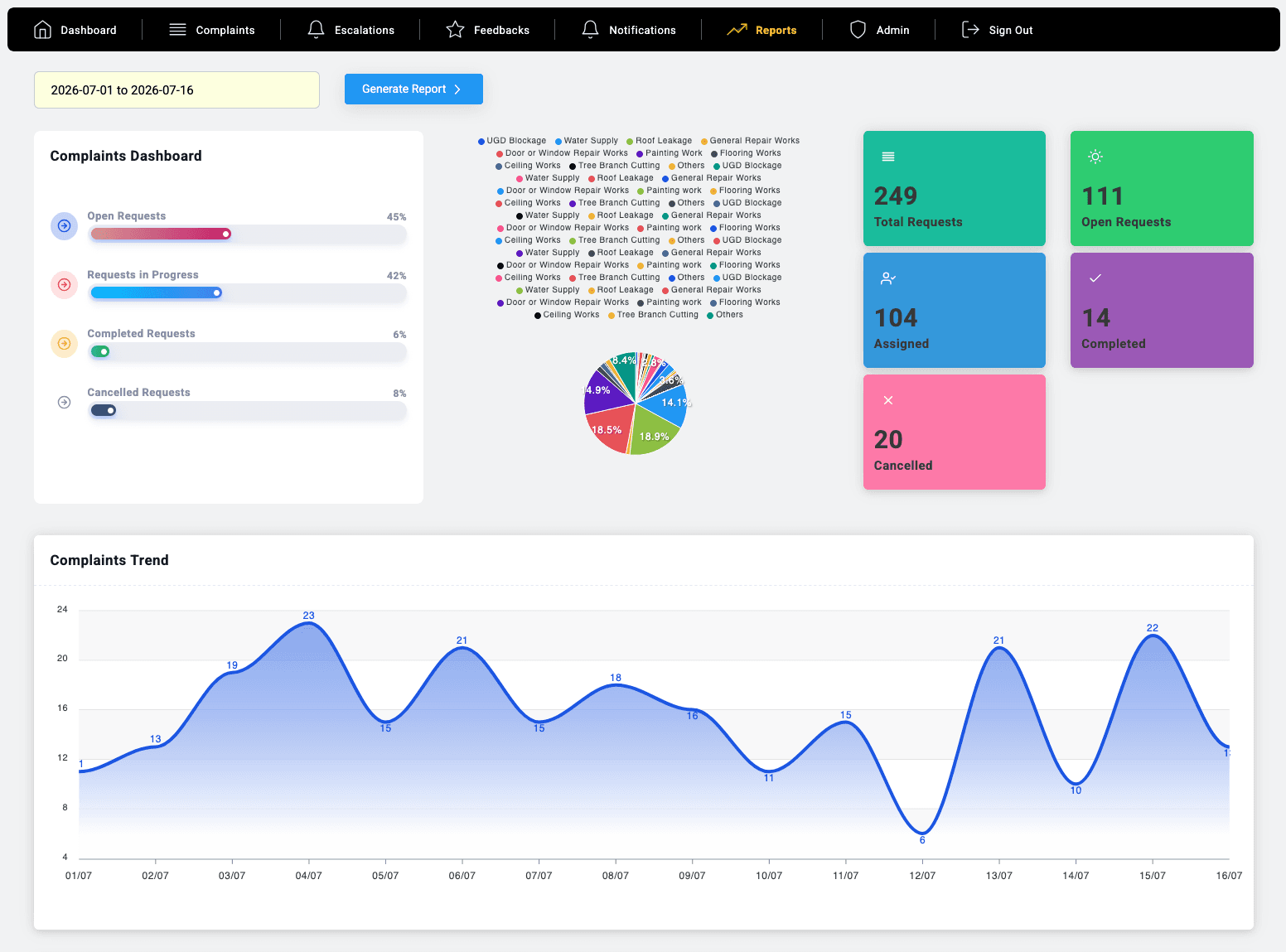
Images stay with the complaint record so field work can be checked in context.
Generate period-specific views of total, open, assigned, completed and cancelled requests.
See recurring demand across water, repairs, leakage, flooring, painting and other service categories.
Many ticketing tools stop at intake. QCMS connects quarter-aware mobile reporting to stakeholder assignment, artisan action, escalation, photographic evidence, feedback and management MIS—while remaining adaptable to the categories, roles and escalation structure of a new organization.
Field-proven
The Google Play listing says QCMS was developed with the Mysore division engineering team and lists Mysuru, Bangalore, Solapur and Pune divisions. The supplied administration dashboard dated 16 July 2026 shows 10,925 registered users, 17,860 complaints and 14,483 completed complaints—evidence of a working operational system, not a concept screen.
Need it customized? The team that built it is right here →
Straight answers
Book a demonstration with your departments, categories, roles and escalation path—we'll show the resident app and the complete management view.
Prefer to talk? WhatsApp us → · +91 77568 73424