01
Testing team
Capture asset, GPS, photograph and guided test results in the field.
Railway Operations · Indian Railways
GPS-verified field testing, evidence-based control-office approval and a live geographic command view help divisions keep trackside emergency communication sockets working across the maintenance contract.
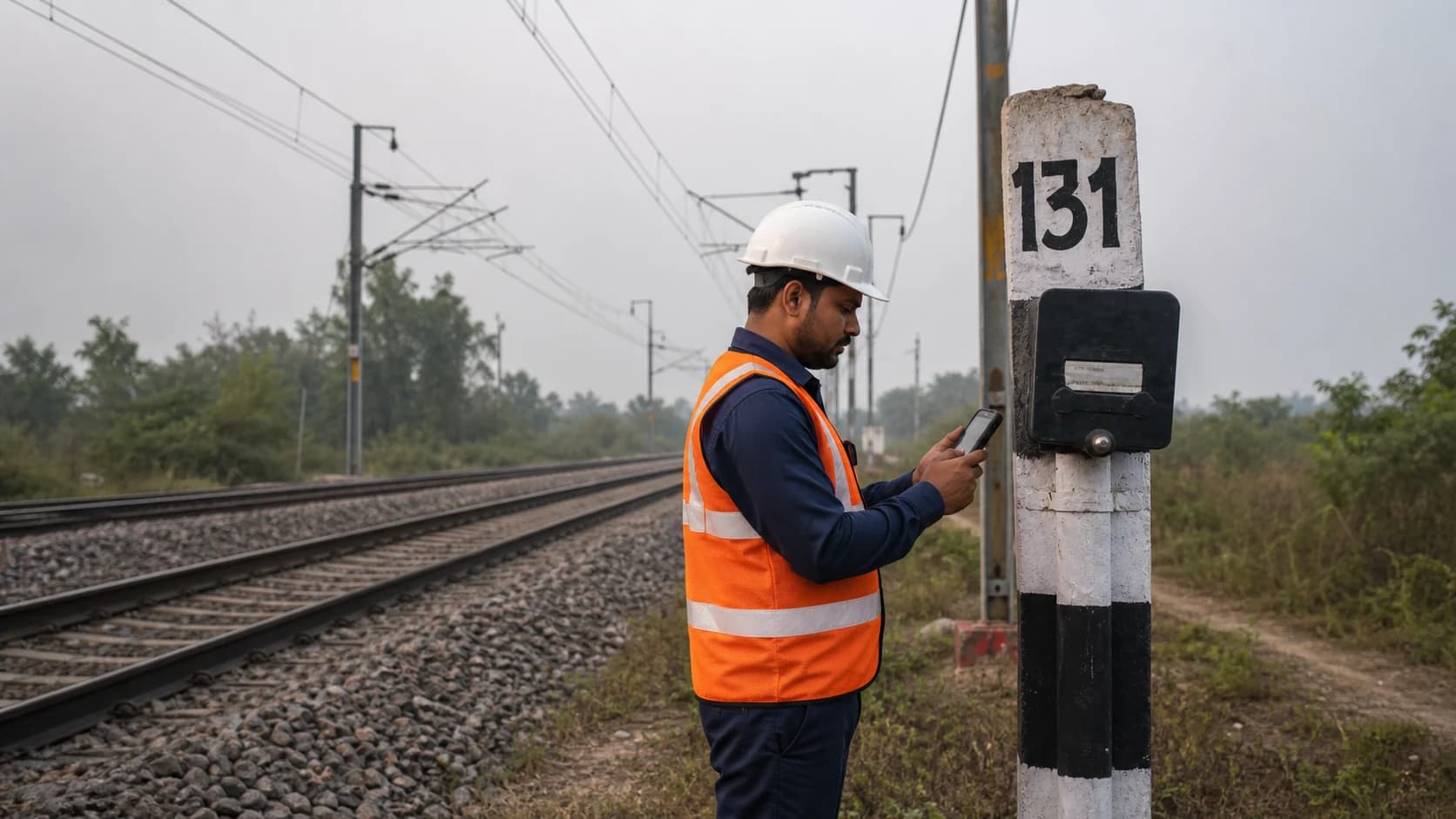
Socket EC-131 · KM 131/00
Inspection evidence captured
Crisant's EC Sockets Management System digitizes contracted maintenance of Indian Railways trackside emergency communication sockets: field teams register and test assets with photographs and GPS proof, control offices verify the evidence, and administrators monitor live working and faulty locations with complete MIS.
The problem
Emergency communication sockets are distributed along long railway sections and their maintenance is commonly carried out through contracts. A register can show that a test was entered, but it cannot prove that the team reached the correct kilometer post, followed the right parameters or photographed the actual asset.
The application turns each physical socket into a traceable digital asset. Field evidence, live location, test results, reviewer decisions, repeat faults and rectification history stay together—giving the division direct control over maintenance quality and corridor readiness.
How it works
Add a new socket with serial number, type, photograph and device-captured latitude and longitude at the trackside location.
Confirm that the team reached the registered asset before showing the guided parameters for that socket type.
Record each result, field observation and current photograph against the socket without recreating the test later in the office.
Review submitted parameters, photographs, tester identity and registered-versus-captured location before approving or returning the test.
See working sockets in green, faulty sockets in red and tests due for attention along the railway corridor.
Manage users and contractors, track fault ageing and repeat failures, and generate section, productivity, coverage and approval reports.
Track-line assurance
The system connects each physical socket to its serial number, photograph, type, GPS position, prescribed test, approval decision and maintenance history.
Section A · Emergency communication line
Illustrative corridor view · 1 km inspection sequence
KM 128
Working
KM 129
Working
KM 130
Test due
KM 131
Faulty
KM 132
Working
KM 133
Working
KM 134
Working
KM 135
Faulty
KM 136
Working
Capture asset, GPS, photograph and guided test results in the field.
Verify the location and evidence, approve the test or return it with observations.
See corridor health, manage access, monitor faults and generate divisional MIS.
Testing team · Mobile
The field application turns a contractor walk-through into verifiable maintenance evidence. Location is captured from the device, the correct parameters load automatically, and the complete record is sent from the track.
Serial number, type, photo and live location create the master asset.
GPS compares the tester's location with the registered socket.
The correct checklist appears for the selected socket type.
Photographs and observations travel with every result.
Field test
EC-131 · KM 131/00
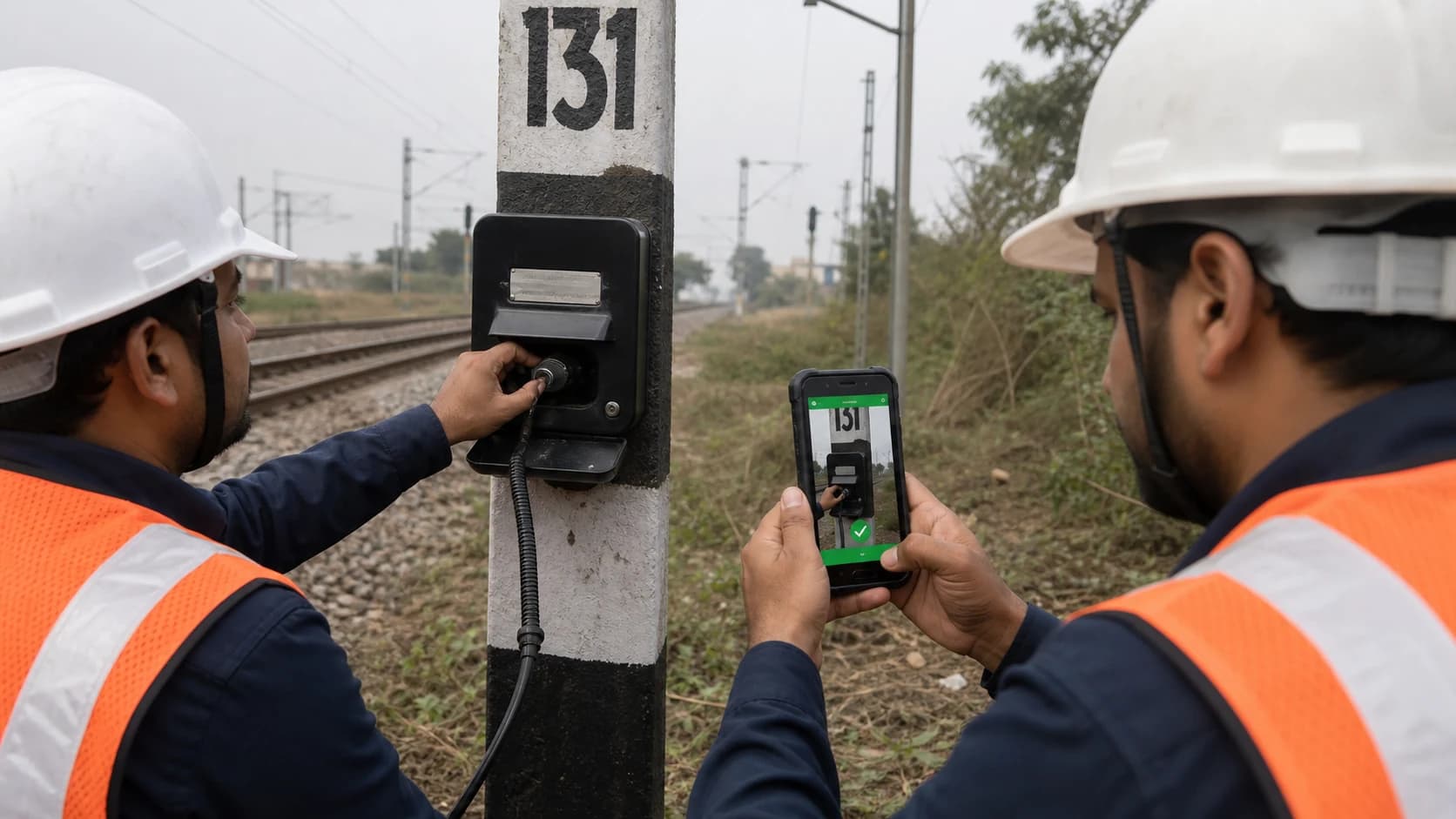 Evidence photo
Location verified
At registered socket
Test parameters
Control office · Verification
The control office sees the registered location, captured location, photograph, guided parameters and tester identity together—then approves or sends the record back with a clear observation.
Test verification desk
Submission EC-131 · received 09:05
Captured at 09:04Tester
Field Team 04
Socket type
Emergency control
Serial
ECS-131-04
Test parameters
Checklist loaded for this asset type
Tester observation
Enclosure secure, identification visible and speech confirmed with control office.
Admin · Geographic command
Select any location to inspect its condition, last test and open issue. Filters and MIS turn the same live data into contractor and section-level control.
Emergency socket network
Illustrative live section view
Network status
Coverage
KM 128 → KM 135
8
Sockets in view
2
Open faults
1
Routine test due
7
GPS-verified tests
Fault closure trend
Illustrative 8-week view
MIS ready for division review
Filter by date, section, team, contractor or status
Socket health register
Working, faulty, due and pending approval
Section coverage
Tested and untested kilometer stretches
Contractor performance
Productivity, repeat faults and acceptance rate
Fault ageing
Open defects grouped by age and section
Testing audit trail
Who tested, where, when and with what evidence
Approval turnaround
Control-office review and return cycle
Maintenance control, end to end
GPS confirms that the testing team reached the exact trackside socket before the test can be submitted.
Every socket gains a serial number, type, photograph, kilometer location and complete maintenance history.
Assigned work, test evidence, returned observations, approvals and repeat faults stay tied to the contractor and team.
Failed parameters move into the control and admin queues without waiting for a paper register to reach the office.
The geographic view exposes untested stretches, recurring faults and overdue sockets along the corridor.
Status, test productivity, approval time, contractor performance and fault trends are available by section and period.
A checklist alone proves that values were entered. This workflow connects the test to the registered trackside asset through GPS, time, photograph, tester identity and control-office approval—so the division can verify both maintenance activity and the condition of the exact socket.
Field-proven
Developed for the field reality of emergency communication sockets distributed along railway corridors and maintained through multi-layer teams. Crisant Technologies, Mysuru, builds and supports the product directly alongside its Running Room, Complaint Management and Rail Spear railway systems.
Need it customized? The team that built it is right here →
Straight answers
Request a demonstration using one section, one testing workflow and your division's approval process.
Prefer to talk? WhatsApp us → · +91 77568 73424