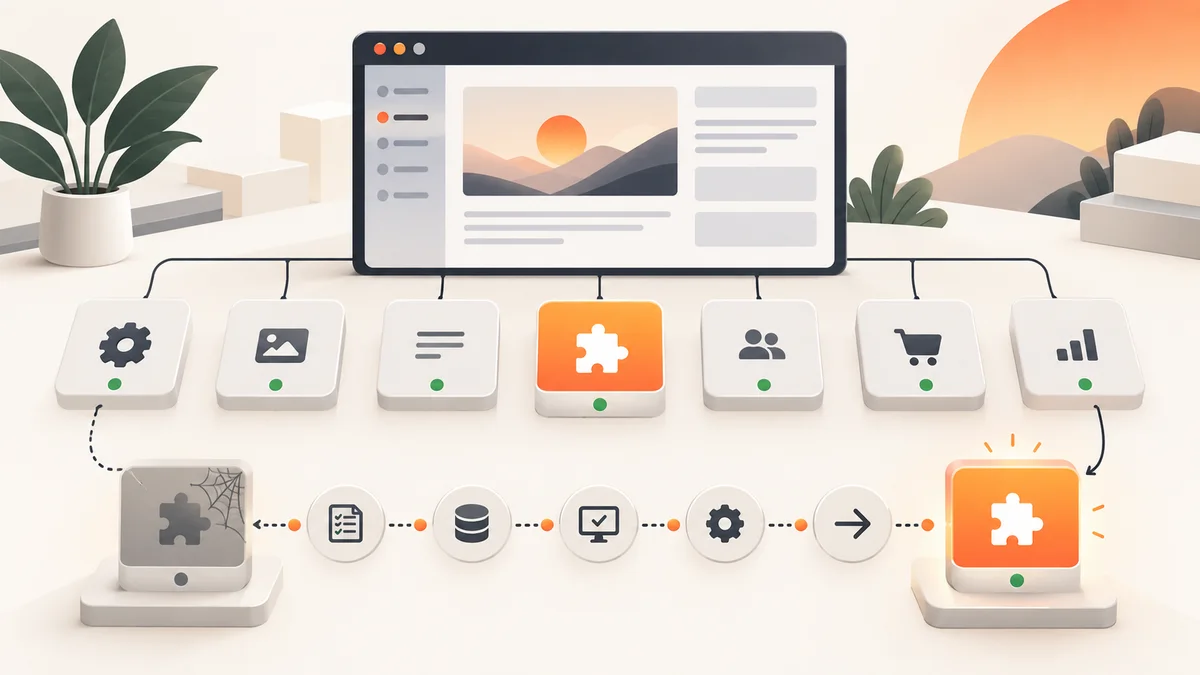
Abandoned WordPress plugins should be reviewed as business dependencies, not ignored dashboard items. Record each plugin’s purpose, owner, version, support evidence and data. Replace unsupported components through backup, staging, compatibility testing, migration, rollback planning and verification of critical customer journeys.
Planning a project? Review Crisant's WordPress security and maintenance service →
Treat abandoned WordPress plugins as dependencies
A plugin is separate software that extends WordPress core. That distinction matters because a current WordPress installation can still depend on an extension whose development, support or compatibility has stalled. The correct conclusion is not that WordPress core has failed, nor that every older plugin is malicious. It is that the business must understand each dependency and decide whether its support evidence still matches the importance of the function it performs.
Start with an inventory of active, inactive and must-use plugins. Record the installed version, source, licence, account owner, business purpose, connected services, data touched and the website journeys that depend on it. A plugin may control checkout, forms, consent, search, caching, email or custom content that is not obvious from its name. Inactive code should not be forgotten; unnecessary components and files expand what the team must understand, update and monitor.
WordPress.org pages, vendor documentation and account portals provide evidence: release history, compatibility, support activity, ownership and closure status. The WordPress Plugin Team says listings may close for security issues, guideline violations or an author request. Closure is a decision signal, not proof that every installed copy is compromised. Verify the installed code and choose from evidence rather than alarm.
Decide whether a plugin is unsupported
No single date proves abandonment. A stable, narrow plugin may need fewer releases than a complex commerce extension. Review several signals together: whether it declares compatibility with supported WordPress and PHP versions, whether maintainers publish fixes, whether support channels receive meaningful answers, whether the vendor website and licence service remain operational, and whether known security issues have a fixed version. Document what you checked and when.
Classify the result as supported, watch, replace or remove. Supported has ownership and updates. Watch has incomplete evidence and a review date. Replace blocks a supported environment or lacks a path. Remove is unused or duplicates core, the theme or another maintained component.
Risk should reflect business impact as well as technical evidence. An unsupported WordPress plugin that formats a low-traffic archive is different from one that handles administrator access, customer data or payment flows. Ask what an error could expose, modify or stop; how widely the plugin can write; whether it is reachable without authentication; and how quickly the business can restore service. This produces a defensible priority without claiming that age alone equals compromise.
| Decision | Evidence | Next action |
|---|---|---|
| Keep | Current compatibility, maintained releases and responsive ownership | Update through the normal tested process |
| Watch | Unclear cadence but no confirmed incompatibility or unresolved advisory | Set an owner, evidence gap and review date |
| Replace | Unsupported environment, closed path or required upgrade is blocked | Prototype a maintained alternative in staging |
| Remove | No owner, no usage or duplicated capability | Confirm dependencies, back up and uninstall safely |
Choose a replacement by capability, not popularity
Before searching for a substitute, write the capability the business needs. Include inputs, outputs, user roles, stored data, templates, integrations, scheduled jobs, shortcodes, blocks and reporting. Popularity does not guarantee fit, security or longevity. A replacement should solve the smallest clear requirement, come from a legitimate source and have ownership, documentation and an update channel the team can operate.
Compare architecture as well as visible features. Check whether the candidate creates proprietary content structures, calls an external service, stores secrets, adds administrator roles, runs background tasks or changes public URLs. Review licence renewal, support access and export options. Prefer fewer overlapping plugins where one maintained component or a small custom integration can meet the requirement without turning the website into a collection of competing systems.
WordPress documentation recommends keeping plugins current and taking a current backup before updates. Auto-updates can reduce delay, but official guidance notes that scheduled updates may fail and depend on WordPress Cron. For a business-critical replacement, automation is not the migration plan. The team still needs a recoverable backup, compatibility testing, monitoring and an owner who confirms that enquiries, purchases, accounts and email continue to work.
Replace WordPress plugin through controlled staging
Build a staging copy that represents production closely. Capture current outputs first: screenshots, form submissions, email headers, checkout totals, structured data and records created by the old plugin. Install the candidate from its official source, migrate settings using a documented method, and avoid competing plugins that control the same URLs, cache, rules or data writes.
Test by journey, not only by page appearance. Submit each important form, complete a representative purchase or booking, check user permissions, inspect mobile layouts, confirm analytics events and verify scheduled tasks. Review server and browser errors. If the plugin affects URLs, metadata or structured data, compare the rendered output and plan redirects where necessary. Record pass criteria so the launch decision is based on evidence instead of a quick visual check.
Define rollback before deployment. Keep coordinated file and database backups, note the prior versions and configuration, and establish who can restore them. Schedule the change when the right people are available, monitor immediately after launch and retain the old plugin only for the shortest justified recovery window. Do not leave two active implementations indefinitely; that creates duplicate processing, confusing ownership and a larger maintenance surface.
Remove old code and verify the result
Deactivation stops normal plugin execution but does not necessarily remove files, settings, scheduled jobs or data. Use the documented uninstall path, then check whether the plugin left database tables, options, uploads, users, API keys, webhooks or cron tasks. Do not delete records blindly: retention, reporting and legal needs may require an export. Rotate credentials when the retired component or supplier could access external services.
After removal, scan for shortcodes, blocks, template calls and integrations that referenced the old plugin. Re-test public journeys, administrator workflows, backups and monitoring. Watch logs, form delivery and errors during the observation period. Update the inventory, architecture notes, supplier access and recovery documentation so the component cannot return during a future restore.
OWASP’s guidance on vulnerable and outdated components recommends knowing component versions, removing unused dependencies, monitoring authoritative sources and applying upgrades in a risk-based, timely way. That principle applies well to WordPress plugin security: inventory and retirement are ongoing operations. The goal is not the lowest possible plugin count. It is a smaller, understood set of maintained dependencies with clear ownership and evidence that critical journeys work.
Create a repeatable plugin lifecycle review
Review the inventory monthly and before major WordPress, PHP, hosting or commerce changes. Give every plugin an owner, purpose, source, support status, update policy and next review date. Escalate confirmed advisories promptly, and time-box any uncertain watch decision.
Ask a maintenance provider to show how it distinguishes WordPress core, themes, plugins, hosting and connected services. Confirm how release information is reviewed, which changes use staging, how backups are tested, what customer journeys are checked and how failed updates or plugin closures are handled. Avoid absolute promises that no component will ever fail or be compromised. Useful service language names the controls, evidence, response route and exclusions.
Begin with the plugins that hold the most privilege or business impact, then remove unused code and resolve dependencies blocking supported environments. If ownership or migration risk is unclear, a free growth audit can map the current stack, identify evidence gaps and sequence replacement work. A good review leaves the business with fewer unknowns, a tested recovery path and a decision record it can revisit at the next change.
Bring the installed-plugin list, licences, hosting access, backup evidence and critical website journeys to one review. Crisant can help classify each dependency, prioritise unsupported components and plan controlled replacement work without treating every old plugin as an emergency.
Request a free plugin-lifecycle review →